What a job board is, and who should start one
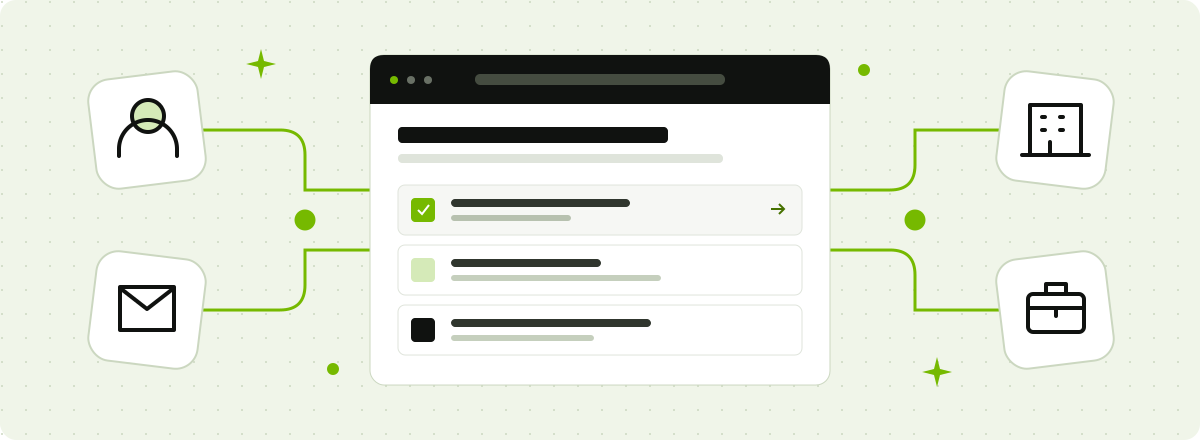
A job board is a website where employers publish openings and candidates find them. The website is the easy part. What employers pay for is attention from the right people: a few hundred pediatric nurses, cleared engineers, or grant writers who check your page because it gathers jobs they can’t find in one place anywhere else.
That is why the boards worth starting today are narrow. A general board competes with Indeed and LinkedIn on reach, and those two will always have more of it. A niche board sells filtering: the employer knows that every reader already does the job.
| Type | What it is good at | Who it suits |
|---|---|---|
| General board | Reach across every role and region | Companies with large marketing budgets. Not a realistic first project. |
| Niche board | Relevance: one profession, industry, region, or way of working | Independent founders, newsletters, trade publishers, and communities |
| Private board | Trust inside a closed group | Associations, alumni networks, and paid communities |
People who do well with a first board usually run a newsletter, community, or publication in a defined field, know one hiring market from the inside, or can reach a region or a group the big sites neglect. If none of these describes you, plan to spend longer on Step 2.
For candidates
Less sorting. More relevant openings.
For employers
A focused audience. A clearer hiring channel.
For your community
A useful service. A reason to come back.
| Step | What you decide | Plan for |
|---|---|---|
| 1. Define your niche | Who the board serves, by job title | 1–2 weeks |
| 2. Map your network | Who you can reach on both sides | 2–3 days |
| 3. Validate demand | Whether strangers sign up and employers reply | 2–4 weeks |
| 4. Choose the name | Domain and positioning | 1–2 days |
| 5. Fill the board | Direct posts, backfilling, ATS connections | 1–3 days to set up |
| 6. Price it | Who pays, and the rate card | 1 day, reviewed after 3 months |
| 7. Pick the tools | Software and the services around it | A day to 6 months |
| 8. Launch | Pages, checks, first announcement | 1 week |
| 9. Get the word out | Channels for candidates and employers | Ongoing, 3–5 hours a week |
Planning estimates for one person working part-time.
The advantages and the drawbacks
Before the how, the whether. A job board is a small, durable business when the niche is right. When it isn’t, it eats your evenings and returns very little.
Advantages
- Low cost to start. A domain and hosted software cost tens of dollars a month.
- Revenue without huge traffic. You sell posts, not clicks: ten paid posts a month at $299 is about $36,000 a year.
- It builds on what you have. A newsletter, a community, or a contact list gains a second product.
- Much of it automates. Imports, checkout, expiry, and email alerts run without you.
- The asset grows. Subscribers, search traffic, and repeat employers accumulate.
Drawbacks
- The cold start. Employers want candidates, candidates want jobs, and on day one you have neither.
- Revenue arrives late. Weeks of outreach before the first paid post, months before search traffic counts.
- Hiring is cyclical. When your sector stops recruiting, your sales stop too.
- Income is lumpy. An employer who hires through you won’t pay again until the next opening.
- You depend on others. Google, your software vendor, and your job sources can each change the rules.
- It is sales work. If you dislike writing to employers, the paying ones won’t come.
The best public account of the downside comes from Gergely Orosz, who closed The Pragmatic Engineer’s job board in April 2024 after 30 months. It charged $500 a month per posting and had sent 13,000 applications. It closed anyway: the vendor behind it left the business, about 80% of customers wanted introductions to candidates more than listings, and vetting candidates took him two to three hours a week.
| Likely to work if | Think twice if |
|---|---|
| Your audience shares one profession or one place | Your audience is broad and general |
| Employers struggle to reach those people elsewhere | They are all on LinkedIn and hear from recruiters every week |
| Employers in the niche hire several times a year | A typical employer hires once every couple of years |
| The board sits on a domain you own | It lives on a vendor’s address you can’t take with you |
1 Step 1 of 9
Define your niche
The niche is the one decision you can’t undo cheaply. Software can be swapped and prices changed, but a board aimed at the wrong audience has to be rebuilt from the name down.
Start from a job title
An industry is not a niche. “Logistics” is an industry. “People who implement warehouse management systems for retailers” is a niche: they share search terms, employers, certifications, and complaints about recruiters who don’t understand the work. When someone tells you where they work, keep asking until you reach the job title.
Five places to look for ideas
- Around you. Everything you use has an industry behind it: a flight means thousands of airport jobs, a parcel a freight forwarder and a warehouse.
- Communities and trade media. A profession with its own subreddit, Slack groups, newsletters, and conference is one you can reach.
- Big sectors, cut into pieces. Oil and gas has large boards. Offshore drilling, subsea engineering, and LNG each have their own job titles and employers, and often no board.
- New markets, and old ones nobody writes about. Carbon capture has few incumbents and, for now, few openings. Forestry, mining, and hydropower replace retiring staff every year.
- Regulation. When a law obliges companies to do something, they hire people to do it, and keep hiring when budgets tighten.
Count the people
Across the Rolework network of niche boards, the working floor is 20,000 people already doing the job in the market you plan to serve. Below that, too few openings appear each month to bring candidates back, and there are too few employers to sell to. No single source gives you the number, so cross-check four:
- a LinkedIn people search on the two or three core job titles
- national labor statistics, when the occupation has its own code (for the U.S., start with the Occupational Outlook Handbook)
- the membership of the main professional body
- live openings for those titles on the large general boards
When three of the four agree, move on. Then check identity: a professional association, a certification, or a learned society tells you people see themselves as members of a profession, and will look for a board with its name on it.
Look for the bottleneck
Size is not enough. Employers pay a niche board when it clears a step they already spend money on: finding people who hold a license, a clearance, a rare certification, or a portfolio that can be checked. DHI Group shows it in public accounts. Its general technology board, Dice, made $72.9 million in 2025, down from $107.0 million in 2022. ClearanceJobs, its board for holders of U.S. security clearances, grew from $17.3 million in 2017 to $54.9 million in 2025. We go through the numbers in what the financial filings of niche job boards tell us.
| Strong | Weak | |
|---|---|---|
| Definition | A job title: pediatric nurses, Rust developers, fire risk assessors | An industry or a mood: “tech jobs,” “startup jobs,” “remote jobs for everyone” |
| Size | 20,000 people or more in the market served | A few thousand, or so many that the board has no focus |
| Identity | Its own association, certification, or community | No shared label, so nobody searches for it |
| Employers | Hire several times a year and already pay to recruit | Hire rarely and fill roles by word of mouth |
| Competition | Attention scattered across groups and general boards | One platform already holds the audience and its jobs |
2 Step 2 of 9
Map your network
A job board has two sets of customers, and you need a way to reach both before you build anything. Write down the people and channels you already have. That list decides how fast the board fills and where the first sales come from.
| Who | What they give you | First question to ask |
|---|---|---|
| Employers you know | First listings, and honest feedback on price | “Where do you advertise today, and what does a hire cost you?” |
| Sponsors or advertisers | Your most likely first paying customers | “Are you hiring this quarter?” |
| Community organizers (Slack, Discord, Reddit, LinkedIn groups) | Access to candidates | “Could I share a weekly jobs roundup?” |
| The professional association | A headcount, an events calendar, the right vocabulary | “Would you link to an independent board?” |
| Newsletter writers and trade media | Reach, and proof that this audience can be sold to | “Would a jobs section work for your readers?” |
| Specialist recruiters | A steady volume of roles | “Which roles are hardest to fill right now?” |
Put real names in every row. Ten employers you could email tomorrow is a healthy start. If you can’t name three, the niche is further from you than you thought.
Don’t treat the association as an enemy, even if it runs a career center. Those boards prove that employers in the profession pay to post. They are also often restricted to members, awkward on a phone, and limited to paid listings, which leaves room for an open board covering the whole profession.
No audience at all? Your substitute is search traffic, which means a few hundred relevant listings and indexable pages from the first day. It works, but it is slower, and it makes Step 5 the center of your plan.
3 Step 3 of 9
Validate demand before you build
Compliments about the idea tell you nothing. You are looking for behavior: an email address left on a page, a reply from a hiring manager, a link passed around without your help.
| Signal | What it looks like | Why it matters |
|---|---|---|
| Paid intent | Employers already pay for ads, recruiters, or sponsored posts to hire these people | If nobody pays to hire here, a new board won’t change that |
| Scattered attention | Candidates hunt across several groups, newsletters, and general boards | You offer one place instead of ten |
| Clear identity | The role needs specific skills or credentials | Specialists are where general boards fall short |
| Volume | Dozens of fresh openings every week | A board with three new jobs a month looks abandoned |
The one-day landing page test
Put up a single page: the name, one sentence on who the board is for, an email field for candidates who want the jobs at launch, and a contact line for employers. Share it in the communities from Step 2, then watch three things for two to four weeks:
- how many people from the profession leave their email
- whether any employer writes in without being asked
- which job titles people give when the page asks, because those become your categories
Set the pass mark before you look at the results. For example: 100 sign-ups from the profession and three employer conversations within a month. If you miss it, you have lost a domain fee and a day of work. The U.S. Small Business Administration’s business planning guidance helps with writing down assumptions and what would prove them wrong.
4 Step 4 of 9
Choose the name and the domain
A job board’s name has three things to do: match what candidates type into a search engine, tell an employer what the site does before the first click, and survive being said once on the phone. A keyword in the domain no longer earns a ranking bonus. What it buys is clarity.
If you take the descriptive route, work down this list and stop at the first name you can register:
| Pattern | What you gain, what you give up |
|---|---|
| [profession]jobs | Repeats the candidate’s own search. Often already taken. |
| [profession]careers | Just as clear, and reads well for senior roles. |
| jobsin[sector] | Keeps the word “jobs.” Suits a sector or a place better than a job title. |
| [profession]talent | Clear to employers, without “jobs” in the name. |
| [profession]hub | Room for salary data or a newsletter later. The headline has to explain. |
| [profession]jobboard | Exact, but long. |
The alternative is a brand name. It takes more explaining at the start, but it can be trademarked and it leaves room to grow beyond one profession. We weigh the two in should your job board’s domain be a brand name? Either way, run three checks before you pay:
- Say the name aloud to someone in the profession. If they ask you to repeat it, keep looking.
- Search the exact name, and check the trademark register in your market.
- Look at the domain’s past in a web archive. A name that once carried spam is slow to earn trust.
5 Step 5 of 9
Fill the board: direct posts, backfilling, and ATS connections
Nobody wants to be the fourth job on a board that has three. An empty board tells employers that nobody uses it, and gives candidates no reason to come back. The listings have to arrive before the customers do, and there are four ways to get them.
| Source | How it arrives | Your effort | Watch out for |
|---|---|---|---|
| Direct employer posts | The employer fills in your form and, usually, pays | None once posting is self-serve | Rare in the first months |
| Backfilling | Software imports relevant jobs from careers pages and feeds on a schedule | Setup, then a short weekly review | Off-topic or duplicate jobs when filters are loose |
| ATS connections | The board reads an employer’s jobs from its applicant tracking system | Paste a careers page or feed address once | One-way: candidates apply on the employer’s site |
| Manual curation | You add jobs by hand from sources you trust | Hours every week | Stops scaling beyond a small board |
Backfilling, explained
Backfilling means importing openings that already exist elsewhere, so the board is full while you sell your first paid posts. You set filters (keywords, location, employment type, remote or not) and a schedule, and the software pulls matching jobs from public careers pages and feeds. The candidate clicks through and applies on the employer’s own site.
Advantages
- The board looks alive from the first visit.
- Search engines get real pages to index.
- You see how many live openings the niche really has.
- You can show an employer their own job on your board before you pitch them.
Drawbacks
- Imported jobs earn nothing directly.
- Quality is only as good as your filters.
- Software plans usually meter imports by monthly volume.
- You don’t control when the source closes a job.
A few rules keep it clean. Import only from sources that allow it: public careers pages and feeds meant for distribution, within each site’s terms and robots.txt. Name the employer and link to the original posting. Hold imports for approval until you trust the filters, and remove a job when its source does. Paid posts sit above the imported ones, with featured placement.
ATS connections
An applicant tracking system (ATS) is the software a company’s recruiters use to publish jobs and manage applicants. Greenhouse, Lever, Workday, and Workable are common ones. Recruiters publish a job once in the ATS and expect it to flow out from there. A board that reads those feeds asks nothing more of them: the job appears, updates, and disappears in step with the employer’s own careers page.
For a new board, this is the tidiest form of backfilling: connect the careers pages of the 50 employers that matter most in your niche, and the board reflects the real market. The limit is direction. Most connections bring jobs in and send candidates out to the employer’s application page; pushing applications back into an ATS is custom work, rarely worth it early. An employer’s own XML feed connects the same way.

- SourceDirect post, import, or ATS feed
- ReviewOn-topic, complete, not a duplicate
- PublishWorking apply link, sent to alerts
- ExpireRemoved when filled or closed
Whatever the source, standardize what a candidate needs to decide: job title, employer, location, remote eligibility, employment type, salary when the employer gives one, and how to apply. Don’t fill gaps with guesses.
6 Step 6 of 9
Choose your pricing method
Decide first who pays. Almost every board charges employers, but that isn’t the only option, and each one works only under a condition.
| Who pays | How | It works when |
|---|---|---|
| Employers, per post | A flat fee for a listing, usually 30 days | Enough candidates see a post for it to bring applicants |
| Employers, by subscription | A monthly or annual plan with a posting quota | Employers in the niche hire all year |
| Job seekers | A weekly or monthly fee for access | The listings are hard for a candidate to assemble alone |
| Sponsors | Sponsorship around the listings or in the newsletter | You had the audience first; listings can then stay free |
| A network partner | A revenue share, or a payout per click on supplied jobs | You have traffic but nobody to sell to employers |
The methods employers buy
| Method | Advantage | Drawback | Use it when |
|---|---|---|---|
| Single post: flat fee, 30 days | Easy to understand and to buy | Income stops when hiring stops | Always. It is your entry product. |
| Featured upgrade: top placement for an extra fee | High margin and no extra work | Worth little until the board has traffic | The board runs to more than one page |
| Pack: three to five posts prepaid, 20–30% off | Cash up front, and the buyer plans the next hires with you | Unused posts lead to refund requests | Agencies and growing employers ask for it |
| Subscription: a monthly quota of posts | Predictable revenue | A harder first sale, and cancellations after a hiring burst | An employer has posted twice in three months |
| Post plus newsletter mention | Sells your readers, not a web page | Only a few slots per issue | You publish a newsletter |
| Free post, paid upgrades | Fills the board quickly | Teaches employers that a post is worth nothing | Rarely. Backfilling fills the board without pricing a post at zero. |
Setting the number
The price follows what the hire is worth, not how much traffic you have. At the time of writing, published rate cards for a single 30-day post on established niche boards run from under $100 in freelance and entry-level niches to around $500 for clinical and senior roles.
- Don’t anchor on Indeed or LinkedIn. An employer can post there for less. What they can’t buy there is your readers.
- If you sell sponsorships, anchor on those. A post on the board alone is worth about a quarter to a third of a sponsored slot. A post plus a mention in the issue is worth most of a slot.
- Charge from the first paid post. A free post teaches employers that a post is worth nothing, and backfilling already fills the board. If someone asks for proof, promise a report of views and apply clicks at the end.
- Review prices once, after three months of real sales. Then leave them alone: employers remember what they paid last time.
| Product | What the employer gets | Example price |
|---|---|---|
| Job post | One listing on the board for 30 days | $149 |
| Featured job post | Top of the board for 30 days, highlighted | $229 |
| Post plus newsletter mention | A featured post and a line in the next issue | $499 |
| Hiring plan | Up to five posts and one mention a month | $749 a month |
Example figures to show the shape of a rate card. Scale them to your audience.
Then do the arithmetic before you build anything. The number that matters is paid posts per month, and it is small enough to reach by hand: ten paying employers means ten conversations. Try your own figures.
Try the numbers
What could your job board bring in?
Adjust monthly sales and the average price per sale. All amounts are in USD.
Enter a whole number of sales from 0 to 10,000 and a price from $0 to $10,000, with up to two decimal places.
20 sales × $149.00 = $2,980.00 / month
These examples are estimates, not revenue forecasts. Gross revenue is before fees, refunds, taxes, and operating costs. The annual figure assumes the same sales and price every month.
Keep the costs next to the revenue: software, payment fees, email delivery, the domain, and your own hours. The time section turns those hours into an hourly rate.
7 Step 7 of 9
Pick the tools to build it
Take the route that puts you in front of employers soonest. The common mistake is two months on a custom build before a single employer has agreed to post.
| Route | Time to launch | Advantage | Drawback | Suits |
|---|---|---|---|---|
| Hosted job board software | A day to a week | Posting, payments, alerts, imports, and search markup are built in | A monthly fee, and you work within the product’s limits | Most first boards |
| WordPress with a job board plugin | 1–2 weeks | Cheap, with full control of content | You maintain updates, security, and plugins that have to agree | People who already run WordPress sites |
| Custom development | 2–6 months | Anything you can specify | Cost and delay, and you maintain it for good | Funded teams with unusual requirements |
| General site builder | A few days | A quick way to test an idea | Job markup, expiry, and imports are usually missing | A validation test, not a lasting board |
| Joining a job network | Days | No cost up front, and the jobs are supplied | The partner often sets prices and keeps the employer relationships | Publishers with traffic and no sales staff |
Around the board you will use a few other tools, none of them sophisticated: a payment processor such as Stripe for checkout and invoices; an email platform (beehiiv, Substack, Ghost, Mailchimp, or Kit) if a newsletter carries your jobs; Google Search Console to see what is indexed; an analytics tool for job views and apply clicks; and an automation service such as Zapier to announce new posts in a Slack channel. AI writing assistants help tidy job descriptions and draft outreach, provided a person reads the result before it goes out.
What to check before you commit
- Your own domain. A board on a vendor’s subdomain loses its address, its links, and its rankings the day you move.
- Export. Jobs, employers, and subscribers should be able to leave with you.
- Backfilling and ATS feeds. Which sources, how many imported jobs a month, and what it costs beyond that.
- Fees. The monthly price, any percentage taken from your sales, and what triggers an upgrade.
- Self-serve posting and job alerts. Employers post, pay, and go live without emailing you. Candidates subscribe once and receive matching jobs.
When Pallet stopped running job boards for newsletters in April 2024, every board on its platform closed the same day, working or not. If you own the domain and can export the data, a vendor’s exit costs you a migration, not the business. The tools section below lists software to look at.
8 Step 8 of 9
Launch small and complete
You need fewer pages than you think, and every one of them has to work:
- a homepage that says in one line who the board is for
- job pages that read well on a phone, each with a working apply link
- category pages for the main roles, and location pages where they make sense
- a “Post a job” page with prices visible, one click from the main navigation
- contact details, a privacy policy, and terms
Don’t publish a category or location page with nothing on it. Dozens of empty pages make the board look abandoned to visitors and thin to search engines.
Then walk the whole path, alone and with two or three people from the niche: a search that returns nothing, the filters on a phone, an expired job, a complete job submission. If you charge, run a purchase in your payment provider’s test mode. The W3C forms tutorial covers the labels, instructions, and error messages that make a submission form usable by everyone.
9 Step 9 of 9
Get the word out
You are running two campaigns at once, in two vocabularies. Candidates search for “[role] jobs in [place].” Employers ask “where do I post a [role] job?” Plan a channel for each.
| Channel | Reaches | Effort | Pays off | How to use it |
|---|---|---|---|---|
| Job alerts by email | Candidates | Low, automated | From the first week | The cheapest way to bring people back. Let subscribers choose the frequency. |
| Your newsletter | Both | Medium | At once, if you have a list | Same shape every issue: three to six jobs, featured ones first, one link to the board. |
| Both | Medium | Weeks | Share single jobs and short notes on the market. Tag the employer. | |
| Slack, Discord, Reddit, forums | Candidates | Medium | Weeks | Follow each group’s rules. A weekly roundup is tolerated where daily links are not. |
| Direct email to employers | Employers | High | Weeks | Your main sales channel in the first year. |
| Associations and events | Both | Medium | Months | Time announcements to the conference calendar. |
| Search engines | Candidates | Setup, then low | 3–6 months | Depends on structured data and stable category pages. |
| Partner newsletters and trade media | Both | Medium | Varies | Swap a jobs block for a mention, or buy one sponsored slot as a test. |
Selling to the first employers
Start with people who already trust you. If you have sponsors, check which of them are hiring: recruitment budgets are separate from marketing budgets, and usually larger. If you backfill, look for employers whose jobs already appear on your board. The strongest opening line you have is a link to their own job, on your board, in front of your readers.
On a call, ask two questions before you quote a price: how many people they expect to hire this year, and where they find them today. The first tells you whether to offer a single post or a plan; the second, what you are being compared with. When a post ends, send a short report and ask whether the role was filled.
Search: what is different for a job board
Most web pages are written once and stay useful for years. Job pages expire within weeks, repeat text that appears on five other sites, and have to serve two audiences. Four things matter more than the rest.
- Structured data on every job page. Google’s job listings rely on JobPosting markup that matches the visible posting. Google’s job posting documentation lists the requirements. The markup belongs on individual job pages, never on a category page, and it does not guarantee placement.
- A plan for expired jobs. Mark closed jobs as closed, set the expiry date in the markup, and send visitors on to the relevant category instead of a dead end.
- Stable category and location pages. Individual jobs come and go; “pediatric nurse jobs in Texas” stays, and collects links and rankings over time.
- Separate pages for employers. A page built around “post a [role] job,” with your audience and your prices, does more than one page trying to serve both groups.
Expect three to six months before search sends meaningful traffic. The channels in Step 9 carry the board until then.
How long it takes
There are two answers. Getting a board online takes a day with hosted software. Getting it to pay takes months, and most of those months go to outreach, not to building.
| Period | What happens | Your time |
|---|---|---|
| Weeks 1–4 | Niche research, network list, landing page test | 4–6 hours a week |
| Week 5 | Domain, software, backfill sources, pricing page | 10–15 hours in total |
| Weeks 6–8 | Checks, a quiet launch to your own channels, first employer emails | 5–8 hours a week |
| Months 3–6 | First paid posts, then repeat employers; search traffic starts to show | 3–5 hours a week |
| Months 6–12 | Price review, packs and plans, new categories where jobs justify them | 3–5 hours a week |
Planning ranges for a solo operator on hosted software, with imports and self-serve checkout. A custom build adds two to six months before week 5. Handling imports, posting, and billing by hand can double the weekly figure.
The weekly number is the one to watch. A board that earns $300 a month and takes six hours a week pays about $12 an hour, before costs. Put in your own figures:
If the rate disappoints, cut hours before you raise prices. Automate imports and expiry, make posting self-serve, and let the newsletter pull the newest jobs from the board’s feed.
Measure, maintain, and avoid the usual mistakes
Track the handoffs between your audience and employers: relevant visits, job views, apply clicks, and repeat purchases. An apply click shows interest, not a completed application or a hire, so ask employers what happened after each post.
Measure the journey
A click is one step toward a hire
- Relevant visitsAre the right people arriving?
- Job viewsAre the openings interesting?
- Apply clicksAre candidates taking the next step?
- Employer feedbackWere those applicants a good fit?
Follow the handoffs. An apply click alone does not confirm an application or a hire.
A weekly routine of under an hour keeps the board trustworthy: skim the new imports and remove anything off-topic, spot-check apply links on older listings, answer employer requests, and read the searches that returned nothing. Those tell you which categories to add.
Six mistakes that sink new boards
- Serving everyone. A broad board has no trust advantage and the highest marketing costs.
- Building before selling. Weeks of design work before the first conversation with an employer.
- Launching empty. Paid listings only, so a profession of 50,000 people sees twenty jobs.
- Giving posts away. The price you set in month one is the price employers remember.
- Renting the address. A vendor subdomain and no export means starting again if the vendor leaves.
- Doing everything by hand. Formatting listings and chasing invoices is where small boards stop being worth it.
Once your board is live and taking applications, explore directory placement options.
Questions people ask before starting
How much does it cost to start a job board?
The fixed costs are a domain, at roughly $15 a year, and software. Entry plans for hosted job board software commonly run from about $50 to $250 a month, and payment processors take a small percentage of each sale. A custom build costs thousands of dollars before launch. The larger cost is your time: see the hourly rate.
How many jobs do I need before launching?
Enough for the board to look alive: for most niches, 30 to 100 relevant, current listings. Two hundred loosely related jobs make a specialist board harder to use.
Do I need an audience first?
It helps a great deal. A newsletter or community gives you candidates on day one and a reason for employers to pay. Without one, search traffic is the substitute: backfilled listings, indexable pages, and three to six months of patience.
Is backfilling allowed?
Importing jobs from public careers pages and from feeds published for distribution, with a link back to the original posting, is standard practice in the industry. Stay within each source’s terms and robots.txt, name the employer, and remove a listing when asked. This is general information, not legal advice; rules differ by country.
Can I run a job board alongside a full-time job?
Yes, if posting, payment, imports, and expiry run on their own. Plan for three to five hours a week once the board is live, most of it spent writing to employers.